Why Amazon Q for Work is showing up now
You’re seeing Amazon Q for Work now because two things finally line up: most companies have a messy sprawl of “where work lives,” and the underlying AI has become good enough to be useful inside that sprawl. Teams split context across Microsoft 365, Slack, Confluence, Jira, tickets, wikis, and internal apps, which makes “just search” unreliable and time-consuming. Leaders also have clearer pressure to reduce cycle time without adding headcount, especially for repeatable knowledge work like status updates, policy questions, and incident follow-ups.
It’s also showing up because governance has become the make-or-break issue. Early generative tools proved they can draft and summarize, but business adoption stalled on practical constraints: who’s allowed to see which documents, how answers are traced back to sources, and how mistakes are handled before they become customer-facing. Amazon Q is positioned as “work AI” that lives inside existing identity, permissions, and audit expectations, even though it still inherits hard limits like uneven content quality, connector coverage, and the cost of getting access controls right.
Everyday tasks it can take off your plate
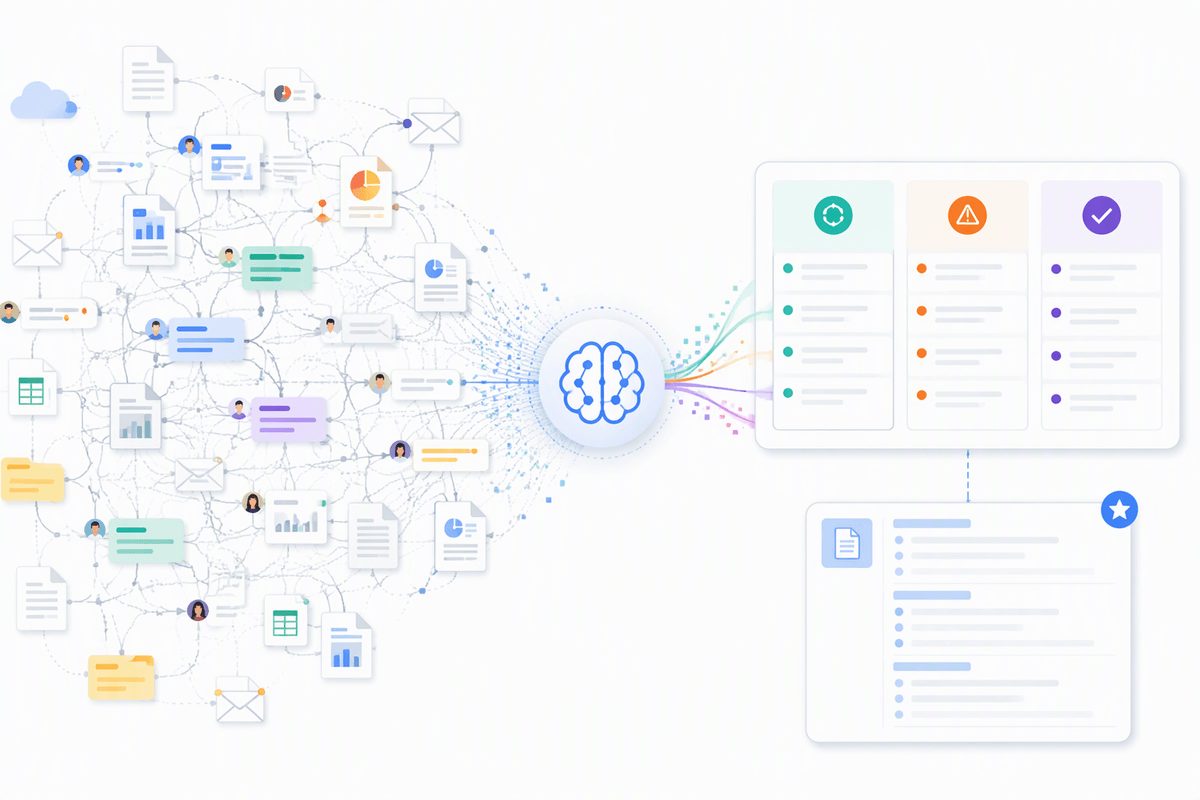
A familiar pattern: someone asks “Do we have a doc for this?” and three people reply with different links, none current. Amazon Q for Work is most useful when it reduces that low-grade coordination tax. In practice, that looks like drafting first-pass emails, project updates, and meeting notes from scattered inputs; summarizing long threads and documents into “what changed, what’s blocked, what needs a decision”; and turning ad-hoc questions into a consistent answer format your team can reuse. The win is not writing perfection—it’s getting from blank page to workable draft and from 30 minutes of reading to a two-minute scan.
It also helps with “how do I do X here?” moments: pulling the right template, surfacing an internal policy excerpt, or translating a ticket into a checklist of next steps. You still need owners to validate outputs, because confident but wrong answers and stale source content are normal failure modes, and the time saved disappears if everyone has to double-check everything.
Getting answers from your company’s knowledge
The moment this gets real is when someone asks a specific, local question: “What’s our current refund exception policy?” or “Which onboarding steps apply to contractors?” Instead of returning a stack of search results, Amazon Q for Work aims to answer in plain language using your internal sources—then show where it pulled that answer from so a manager can sanity-check it quickly. When it works, it reduces the back-and-forth of “latest link?” and cuts down on tribal knowledge living only in a few people’s heads.
Two practical constraints shape the experience. First is content hygiene: if Confluence pages are outdated, file names are vague, or decisions live only in Slack, the tool will sound confident while reflecting the same mess humans face. Second is coverage and boundaries: you only get reliable answers where connectors are set up, permissions are mapped cleanly, and the question can be grounded in accessible text. Expect to invest time in prioritizing the highest-value repositories and defining “source of truth” owners.
From chat to actions: workflows and automation

A recognizable moment is when the answer isn’t the hard part—the follow-through is. Someone learns the policy, then still has to open a ticket, copy details into Jira, request access in the right system, or post an update in Slack. This is where Amazon Q for Work starts to matter beyond “chat”: it can turn a conversational request into a structured output you can act on, like a draft incident summary formatted for your template, a set of tasks pulled from a runbook, or a checklist that maps to your team’s actual process.
The practical bar to clear is controlled execution. You want Q to suggest the next steps and pre-fill forms, not silently change records in systems of record. A realistic setup uses approvals, scoped connectors, and clear “read vs. write” boundaries so managers can review before anything is posted, emailed, or filed. Expect friction: workflows break when fields are inconsistent, permissions are messy, or teams use five variations of the same template. Automation amplifies both good process and bad process, so the payoff depends on how standardized your inputs are.
Security, permissions, and “who can see what”
The familiar failure case is someone asking an innocent question and getting an answer that quietly includes details they shouldn’t have seen. That’s why the practical evaluation starts with identity and authorization, not prompt quality. If Amazon Q for Work is connected into Microsoft 365, Confluence, Slack, or ticketing systems, the output should be constrained by the same access rules those systems already enforce. The key question for leaders is simple: does Q only retrieve and summarize what the current user could open directly, and does it keep that boundary consistent across every connector you enable?
Real-world complexity shows up in the seams: shared drives with sloppy groups, old wiki spaces that were never re-permissioned, documents with sensitive data embedded in “harmless” attachments, and project channels where membership changes weekly. You also need operational controls: auditability of who asked what, retention settings, and a clear process for reporting and correcting an unsafe or incorrect answer. The cost is time—permission cleanup and connector scoping often take longer than the pilot itself.
How to roll it out without hype fatigue
A common rollout mistake is making it a companywide “AI launch” before anyone has a repeatable reason to open it. Start with one or two workflows where search and summarization pain is already visible: policy Q&A for HR and IT, incident and ticket summaries for support, or onboarding checklists for managers. Limit connectors to the repositories that actually contain the answers, and name an owner for each source of truth so people know where to fix stale content instead of blaming the tool. If the first experience is “it answered, but it was wrong,” adoption drops fast and is hard to recover.
Keep the pilot measurable and boring. Track time-to-answer, reduction in repeated questions, and how often users clicked the cited sources versus copying the response. Train a small group on how to ask grounded questions and how to flag failures. Expect friction in the first month: permissions cleanup, inconsistent templates, and edge-case questions will slow you down, and that’s normal. The goal is not excitement; it’s a predictable improvement in a few everyday tasks.
A realistic view of what “good” looks like
“Good” usually looks like fewer interruptions, not magic. A strong outcome is when the tool consistently turns scattered content into a usable first draft or a sourced answer that a manager can validate in under a minute. You’ll still see misses: vague questions, stale pages, and edge cases where the model fills gaps. That’s acceptable if the failure is obvious, traceable to sources, and easy to correct by fixing the underlying content or tightening connector scope.
Evaluate it like an operations change. Pick two teams, define three tasks, and set thresholds (for example: 30% faster time-to-answer, under 5% “unsafe or ungrounded” responses, and a clear escalation path). If meeting those targets requires constant babysitting, the bottleneck isn’t the model—it’s governance, content ownership, or permissions debt.